
Facebook has improved its security to a great extent in the last few months. Checkout my older post : Facebook’s Updated Security features’ List . Now Facebook offers a wide range of options for its users to secure their Privacy online. You all may be knowing that you can easily find any person on facebook right from google or any other search engines. Just search your name in google and you will see your facebook’s profile in the results page.
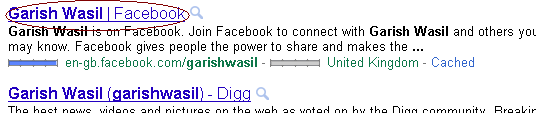
But just in case you don’t want your facebook profile to be shown in search engines, you can easily do this from your facebook Privacy Settings page. Just follow the following simple steps and you will easily be able to remove your facebook profile from Search Engine cache :
1. Login to your Facebook Profile.
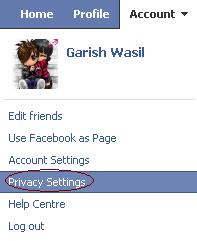
1. Click the Account tab on the top right portion on the profile and select the Privacy Settings option and a new page will open up.
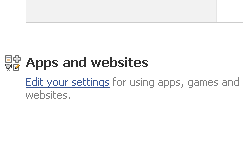
2. In this page, find ‘Apps and Websites‘ which will be somewhere in the bottom left corner of the page, and click on ‘Edit your settings‘ link next to it.
3. On the next page you will see Public Search at the bottom of the page click on Edit settings button.

4. Uncheck the Enable Public Search.

Now your Facebook profile will be completely removed from search engine results page. For some search engines, it may take a few days to get your Facebook profile out of their cache.
Have this post helped you out in solving your problem? Do share it in comments.
Hope you liked this facebook tip.


Article By The Guy behind Vast9
The guy behind Vast9 is the real deal. He created this blog years ago when no one really knew anything about online marketing and helped hundreds of people succeed online. Eventually, he abandoned this blog because he started making a lot more money through other bigger projects. Peace.
Join My Awesome Newsletter !!
Get all the tips, tricks and suggestions directly to your inbox and thats too for free..!!
{ 1 comment… read it below or add one }
Good One.
I doubt will anyone use this? It’s just like running away from traffic.