
Now a days statistics counter are of much use especially for beginers in blogging. This helps them to see the no. of page views & unique visits your blog is getting. You can also see the country & operating system from where you are getting the maximum traffic.
Their are many sites thet provide this facility free of cost. There is no need to download any content. Simply sign up for them & add the HTML code to Your blog or Site.
Some of the sites providing this are:
1.SHINYSTAT
2.STATCOUNTER
3.HISTATS
4.GOSTATS
5.AMAZING COUNTERS
Acc. to me ShinyStat is the best as it gives the most detailed information & statistics of your site or blog & it is too easy to sign up & use. However you can try any of the above or try googling for more.
NOW the Question is how to put it in Blogger. It is too simple. Copy the HTML code from your Stat site & do the following in Blogger
1. Login to blogger.com
2. Go to layout — Add a gadget — HTML/JAVA Script.
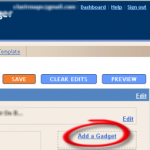
3. Paste the code here.
4. Save
5. Place the gadget in the perfect place on your blos & Save.
Thats it. Now you are having astats widget installed on your blog.


Article By The Guy behind Vast9
The guy behind Vast9 is the real deal. He created this blog years ago when no one really knew anything about online marketing and helped hundreds of people succeed online. Eventually, he abandoned this blog because he started making a lot more money through other bigger projects. Peace.
Join My Awesome Newsletter !!
Get all the tips, tricks and suggestions directly to your inbox and thats too for free..!!
{ 4 comments… read them below or add one }
Excellent..I like your work.Seo is a raging fact in these days.As matter of fact traffic is really connected with page rank ,creating and adding new pages to increase a site’s total PageRank so that it can be channeled to specific pages, there are certain types of pages that shouldnotbe added. These are pages that are all identical or very nearly identical and are known as cookie-cutters. Google considers them to be spam and they can trigger an alarm that causes the pages, and possibly the entire site, to be penalized. Pages full of good content are a must.Check my BLOG
Thanks for the information. Keep visiting Vast9.
Hello.
Do you have something that counts the page views for each blogger post? Not the whole website but each of the page posts only.
Please help.
Thanks.
Great…Thanks for sharing